


Product images for e-commerce play a crucial role in the visual landscape of online selling. They quickly establish trust and drive sales, as customers rely heavily on what they see before making a purchase. This underscores the importance of ensuring that every photo is clear, detailed, and perfectly optimized. In this guide, we will outline the best tips for capturing and preparing ideal product images for your e-commerce store. These tips will help ensure your photos look professional and rank higher in search results. By mastering these straightforward steps, you can boost your sales and reduce returns.
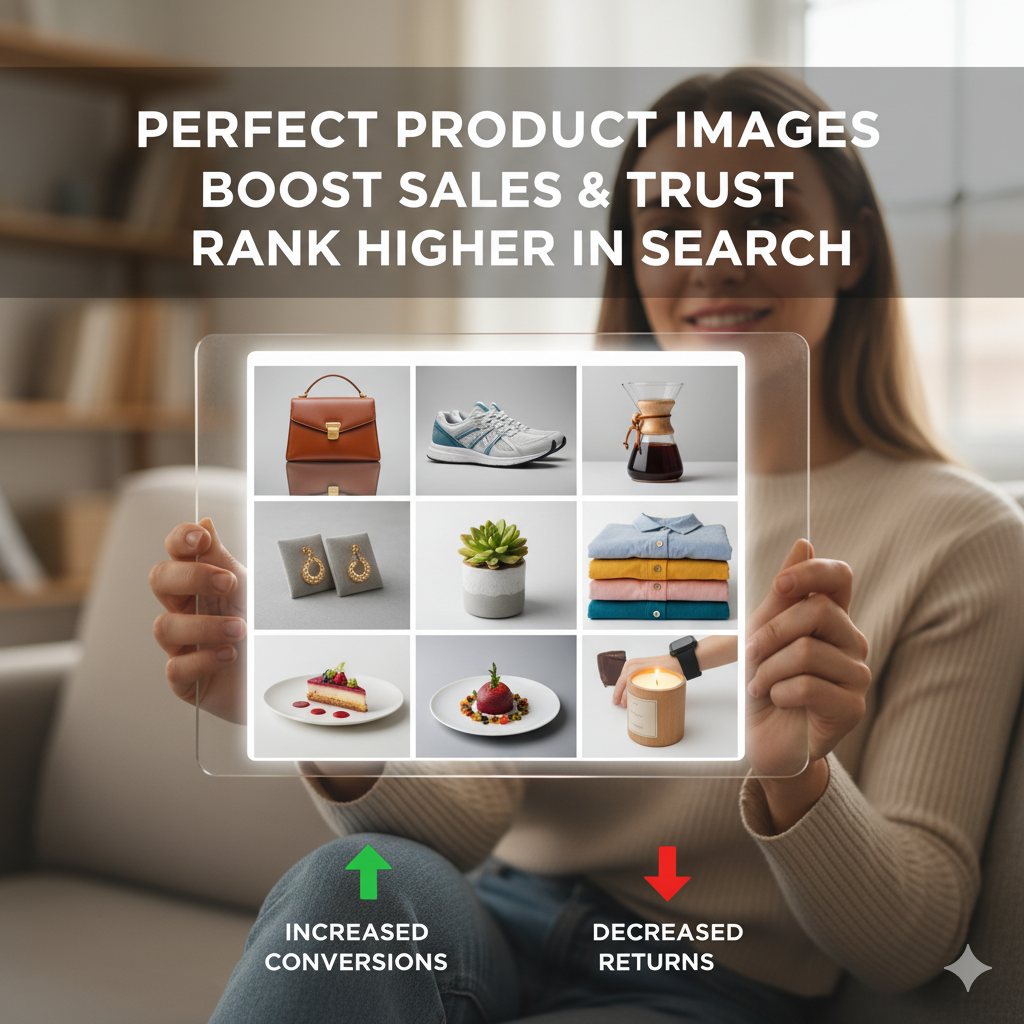
Why Perfect Product Images for E-Commerce Matter
- First impressions count—In most online marketplaces, the image is the first thing shoppers notice—often before they read the title or price.
- Boosts trust – A well-shot image signals professionalism and quality, building confidence in your brand.
- Improve conversions— multiple high-quality images help customers feel informed, increasing their likelihood of purchase.
- Reduces returns — clear, accurate visuals set realistic expectations and prevent buyer disappointment.
Tip 1: Use High-Resolution Images
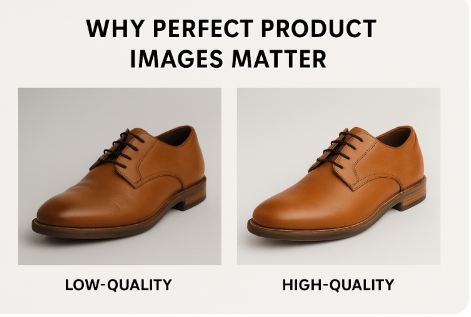
Always shoot and upload images in high resolution.
- Minimum: 2000 x 2000 pixels for zoom functionality.
- File type: JPEG for products with complex colors; PNG for transparency.
- Compression: Use tools like TinyPNG or ImageOptim to reduce size without losing quality.
Pro tip: High-resolution images let customers zoom in on e-commerce sites like Amazon or Shopify, making it easier to inspect product details.
Tip 2: Product Images Lighting – Keep Natural and Consistent
Lighting can make a $10 product look like it’s worth $100—or vice versa.
- Use soft, diffused lighting to avoid harsh shadows.
- Shoot near a large window for natural light or use a lightbox for smaller products.
- Keep lighting direction consistent across all product photos to maintain a uniform look on your store.
Example Setup: Two softbox lights at 45° angles with a reflector for balance.
Advanced Lighting Techniques for Different Setups:
- Softbox Strobes: Large softbox light sources (bigger than your product) distribute light evenly and minimize harsh shadows. Position your main light 45° to the side of the product.
- Budget-Friendly Alternative: Use continuous LED lights with diffusers or diffusion paper. These are safer for certain products (food, delicate items) and allow real-time preview of lighting effects.
- Light Source Size Matters: A larger light source (relative to your product) creates softer shadows. For small items, even a smartphone with diffusion material can work. For larger products, use bigger softboxes or studio flashes.
- Fill Light/Reflectors: Use white reflectors opposite your main light to bounce light back and reduce shadows by 30-50%, creating more balanced illumination.
Consistent lighting across all product shots is essential—use the same lighting setup, angle, and time of day to maintain uniform appearance in your product catalog.
Tip 3: Perfect Product Images – Use a Clean, Distraction-Free Background
A cluttered background steals attention from your product.
- Preferred: White background (#FFFFFF) – often required by marketplaces like Amazon.
- For lifestyle shots, use backgrounds relevant to the product (e.g., kitchen setting for cookware).
- Use background removal tools like Studio Click House or Photoshop for consistency.

Tip 4: Product Images for E-Commerce – Show Multiple Angles and Details
Customers want to see every side of the product.
Recommended Image Counts by Product Type
Based on industry best practices and marketplace requirements, the recommended number of product images varies by product type:
- Fashion & Accessories: 5-8 images (including multiple colors, fit on different body types, and detailed texture shots)
- Simple Products: 3-5 images (front, back, side, close-up, and lifestyle view)
- Complex Items (Furniture & Electronics): 6-10 images (including detailed features, scale reference, materials, and technical components)
- Jewelry & Small Items: 6-8 high-resolution close-ups showing all angles and intricate details
Each angle should reveal new information about your product, creating a comprehensive visual narrative that reduces purchase hesitation.
- Front, back, sides, top, and bottom.
- Close-ups of unique features.
- Zoomed-in shots showing texture or craftsmanship
- Scale reference (e.g., the product in someone’s hand).
Pro Tip: A 360° spin image or short product video can significantly increase engagement.
Tip 5: Product Images Consistency – Maintain Brand Unity
If you sell multiple products, your images should look like they belong together.
- Same lighting setup,
- same background,
- same framing and cropping,
- crop, and a consistent editing approach (color temperature, saturation, contrast).
This uniformity makes your store look more professional and trustworthy.
Tip 6: Edit Smartly, Don’t Mislead
Post-processing can enhance product appeal, but over-editing can backfire.
- Adjust brightness, contrast, and sharpness.
- Correct white balance to ensure accurate color representation.
- Avoid altering colors to look “better” than reality—it may cause returns.
Tools like Photoshop, Lightroom, or Studio Click House’s retouching services can streamline this process.
Tip 7: Product Images SEO & Loading Speed Optimization
Search engines index images too.
- File naming: Instead of “IMG_1234.jpg,” use “red-leather-handbag.jpg.”
- Alt text: Describe the product for accessibility and SEO.
- Image size: Keep under 200KB when possible for faster loading without losing quality.
Tip 8: Product Images in Real Use – Include Lifestyle Photography
Alongside plain background shots, lifestyle images show the product in real use.
- Helps customers imagine owning the product.
- Creates an emotional connection.
- Ideal for social media promotion.
Example: A coffee mug shown on a desk with steam rising versus one on a white background.
360-Degree and Interactive Product Photography:
For premium product visualization, consider 360° product images or turntable photography:
- 360° Spin Technology: Customers can rotate and view products from all angles, significantly increasing engagement and reducing return rates (studies show 27% reduction in returns with 360° images).
- How to Create: Use an automated turntable with 24-72 sequential shots from a complete rotation, then stitch together using software like Klapty or Cloudinary.
- Equipment Investment: Entry-level turntables start around $50-100. Popular options include Foldio360 and Orangemonkie SPIN STUDIO.
- Best For: Jewelry, watches, shoes, furniture, and high-value items where customers want detailed exploration.
- Platform Support: Supported by Amazon A+ Content, Shopify, and most modern ecommerce platforms.
Note: While 360 photography requires more setup time and equipment, it can deliver 2-3x higher engagement rates compared to static images alone.
Tip 9: Product Images Platform Guidelines – Follow Marketplace Requirements
If you sell on platforms like Amazon, Etsy, or eBay, follow their guidelines.
- Amazon: Pure white background, product covering 85% of the frame; no additional text.
- Etsy: High-resolution lifestyle images encouraged.
- eBay: No watermarks or borders.
Tip 10: Product Images for E-Commerce Optimization – Test and Improve
Regularly A/B test your product images.
- Try different angles, backgrounds, and lighting.
- Measure the effect on click-through rates and conversions.
- Update older listings with the improved photos.
Final Thoughts
Perfect product images are an investment in your e-commerce success. They not only attract attention but also build trust, improve conversions, and reduce returns. By focusing on high resolution, excellent lighting, consistent branding, and optimized SEO, you set your online store up for higher rankings and better sales.
If you want professional editing, background removal, and retouching, a service like Studio Click House can save you time and deliver marketplace-ready product photos that stand out.
Frequently Asked Questions About Product Images Q1: What is the ideal image resolution for e-commerce products?
A: For most e-commerce platforms, a minimum resolution of 2000 x 2000 pixels is recommended. This allows customers to zoom in and inspect product details closely. For high-end products like jewelry or electronics, 3000 x 3000 pixels or higher is ideal. Always use JPEG for complex colors and PNG for images requiring transparency.
Q2: How do I reduce image file size without losing quality?
A: Use compression tools like TinyPNG, ImageOptim, or built-in WordPress optimization plugins. These tools reduce file size to under 200KB while maintaining visual quality. This is crucial for website speed and SEO rankings.
Q3: What background is best for product images?
A: A pure white background (#FFFFFF) is preferred by most marketplaces like Amazon and Shopify. However, for lifestyle images, use contextual backgrounds that show the product in use. Always maintain consistency across your product catalog.
Q4: How many product images do I need?
A: The ideal number varies by product type:
- Simple products: 3-5 images
- Fashion & Accessories: 5-8 images
- Furniture & Electronics: 6-10 images
- Jewelry & Small Items: 6-8 high-resolution close-ups
Include front, back, sides, close-ups of details, and lifestyle shots.
Q5: Can 360-degree images improve sales?
A: Yes! Studies show that 360° product images reduce return rates by up to 27% and increase engagement 2-3x compared to static images. They allow customers to view products from all angles, building confidence in their purchase decision.
Q6: How important is lighting in product photography?
A: Lighting is critical—it can make a $10 product look like $100 or vice versa. Use soft, diffused lighting with a main light at 45° angles and reflectors to reduce shadows. Maintain consistent lighting across all product shots.
Q7: Should I edit my product images?
A: Yes, but be careful not to mislead. Adjust brightness, contrast, and white balance to ensure accurate color representation. Avoid over-editing or altering colors to look “better” than reality, as this increases return rates.
Q8: How do I optimize images for SEO?
A: Use descriptive file names (e.g., “red-leather-handbag.jpg” instead of “IMG_1234.jpg”), add detailed alt text for accessibility and SEO, and keep file sizes under 200KB for faster loading. Image optimization directly impacts your search rankings.
Q9: Which platforms require specific image guidelines?
A: Amazon requires pure white backgrounds with products covering 85% of the frame. Etsy encourages high-resolution lifestyle images. eBay prohibits watermarks or borders. Always check individual marketplace requirements.
Q10: What’s the best way to improve my product images?
A: Regularly A/B test different angles, backgrounds, and lighting. Measure the impact on click-through rates and conversions. Update older listings with improved photos. Use professional services like Studio Click House for background removal and retouching to maintain consistency.for E-Commerce